Get your inbox under control
Learn to set up your own AI assistant, teach it your filing rules and check its work.
Explore the Inbox BoardSign in to Spaces or find the access attached to your previous Collab365 purchase. Then choose something useful to learn or put into practice.
Bought Academy, AI Authority or another Collab365 product? Use your purchase email to find your existing access before buying anything new.
The tools at work keep changing. It is easy to put learning off when you do not know where to restart. Choose one practical course to refresh a skill, or follow a guided project and put it to work. Check your account to see what your access includes.
Choose a practical course that fits your work and follow the lessons at your own pace.
Follow a Board for a guided project, with steps, resources and space for your notes and work.
Use briefings and updates to understand what changed and decide what to explore next.
A place to learn and do
Collab365 Spaces brings practical courses, guided projects and learning resources together around a subject. Learn a skill, apply it to your work and keep learning as tools change. A Board helps you follow a learning path or organise work towards a goal; a Blueprint supplies researched instructions you can adapt with your own AI tool.
Collab365 Academy and the AI Authority System are earlier products. Existing customers can use the purchase-matching routes above to find their access in Spaces. A new trial or purchase is a separate choice; access depends on your original purchase or current offer.
Learn to set up your own AI assistant, teach it your filing rules and check its work.
Explore the Inbox BoardFollow a Power BI learning path through reports, data models and calculations.
Explore the Power BI BoardExplore The AI Authority courses and choose a starting point for your everyday work.
Explore The AI AuthoritySpaces brings learning together by subject. Use the route for your original purchase to find the access attached to your account, then explore the courses and supporting resources available to you.
Microsoft 365, Power Platform, Teams, SharePoint, Power BI, and productivity courses are being mapped into the closest matching Spaces.
The standalone AI Authority System is now handled through The AI Authority Space, with the original programme beside newer AI work-system help.
Courses, workshops, recordings, and paid products are being placed in the Space that matches the topic.
Choose a practical course, learn at your own pace and use a Board when you want a path to apply it.
Short updates explain what changed, why it matters, and what to watch before it lands in your day.
Choose a course to build a skill, then use projects and supporting resources when you want to apply it.
We are not throwing away what you paid for.
The old Academy and AI Authority System helped in their moment. Spaces is built for work that now changes every week.
Different members bought different things. Here's the short version of how we are handling it.
Courses, workshops, recordings, and AI Authority resources are being put next to the newer help for that same kind of work.
| What you bought before | Where it lives now |
|---|---|
| AI Authority System | The AI Authority |
| Power Apps courses and workshops | Power Apps Builders |
| Power Automate courses and workshops | Power Automate Builders |
| Power BI, Excel, and reporting courses | Microsoft 365 Report Builders |
| SharePoint, Teams, and intranet training | SharePoint & Teams Admins |
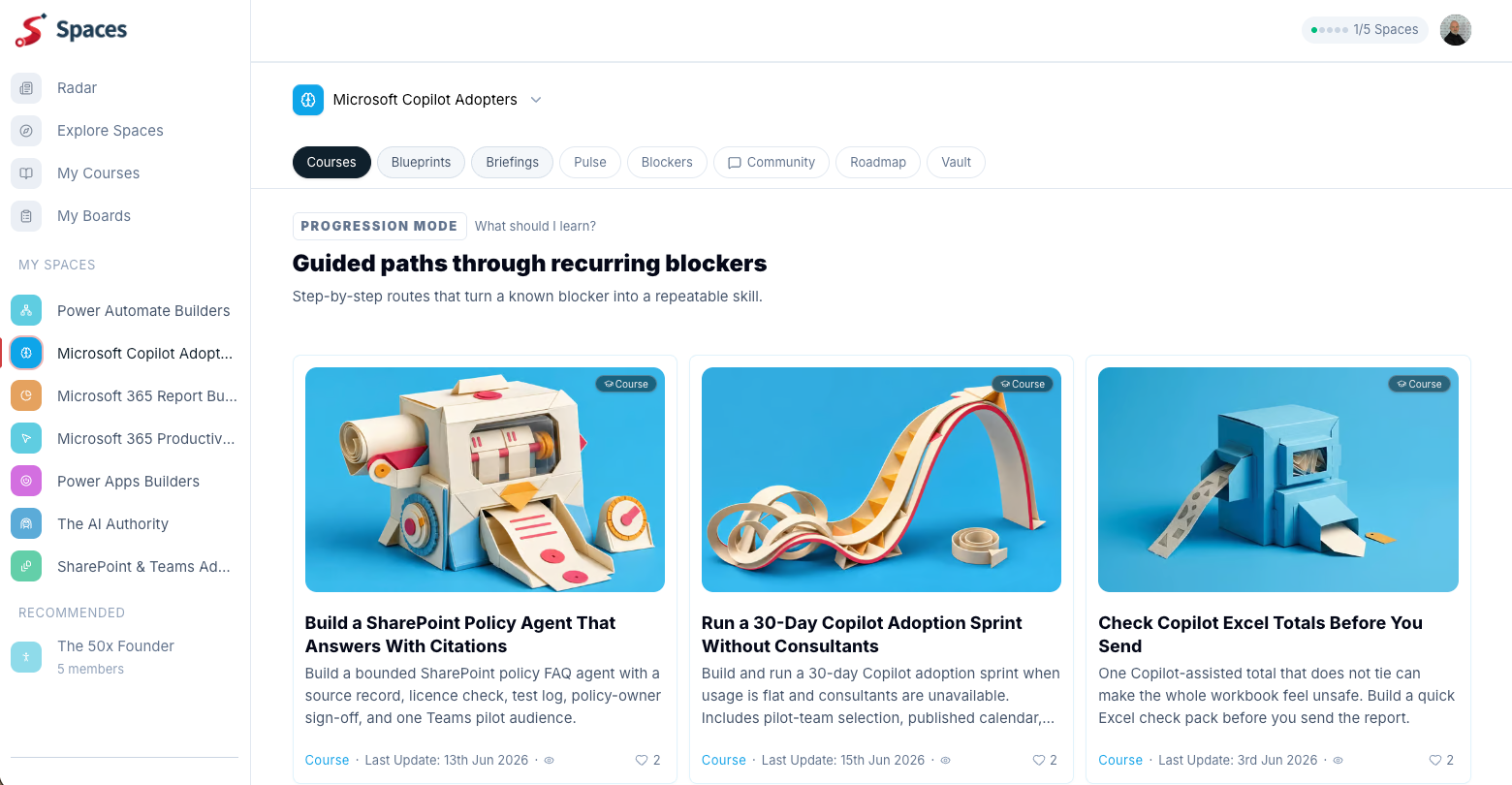
| Copilot and AI in Microsoft 365 | Microsoft Copilot Adopters |
| Productivity, Outlook, Planner, and everyday M365 courses | Microsoft 365 Productivity Workers |
I want to be straight with you, because you deserve that.
The old Academy model was simple: here are the videos, come back when you need them. AI Authority System proved something related: people need more than prompts; they need a way to turn AI into repeatable work. Both were useful, but the pace of work has changed.
We had a choice: keep patching an old course site, or build the thing people actually need now. We built Spaces.
Spaces brings practical courses together with guided projects and supporting resources. You can learn a skill, apply it in your own work and return for updates as tools change. Your earlier learning, including AI Authority, still has a place in that journey.
You might love it. You might need time to adjust. Either reaction is valid. What I want you to know is: you won't lose what you paid for, your account will be handled with care, and if you have questions, email Collab365 directly. It is a real inbox, and a real person will look at it properly.
- Mark
The safest move is simple: use the same email you bought with, then let Spaces recognise what already belongs to you.
Collab365 checks previous purchases against verified email addresses and the resolved entitlement recorded for the account. It does not make one blanket promise about every historic product, content format or progress marker. The recovery sequence verifies the purchase email, then checks previous purchases and old progress from the signed-in account.
Old course progress is not guaranteed to appear exactly as it did on the former platform. The public migration guide tells existing customers to create or sign in with the purchase email and report anything that looks wrong. Check the course in the matched Spaces account before relying on old completion markers.
Whether a Collab365 subscription price changes depends on the plan and billing record attached to the member’s account. The signed-in Billing record, not the public pricing page, is the relevant source for an existing member. A displayed plan, renewal or purchase history that looks wrong requires support review.
Existing Collab365 members can avoid duplicate purchases by checking their Spaces account first. An earlier purchase made with another address can be recovered by adding and verifying that email, then running the previous-purchase and old-progress checks. The result determines whether access was restored or needs support review.
Previous AI Authority System buyers should start from Collab365’s public AI Authority page and use a Spaces account with the purchase email. That page explains the current access route. The account result determines what is available; if it does not match the purchase, use the public contact page before paying for anything again.
Collab365 Spaces uses its public sign-in page for returning members. First-time visitors may need to create a Spaces account. If you previously bought from Collab365, the public migration guide tells you to use the purchase email so the account can be matched to existing access; use the contact page if the result looks wrong.
The old Collab365 community is no longer a separate forum destination; current discussion and problem-submission features sit inside eligible Spaces. What a member can post depends on current access. This FAQ does not imply that every old thread was migrated or that every submitted problem will become published work.
Collab365 uses AI to find signals, organise research, and draft material. Publication remains a human editorial decision: a reviewer chooses the problem and assesses the work for usefulness, clarity, evidence, and audience fit. That process is intended to reduce errors; it does not guarantee that every statement in AI-assisted content is correct. Human review is a control, not proof that an AI-assisted answer is error-free.
This is a real inbox. If something about your access does not look right, or you are worried about the move, Helen or Mark will pick it up properly.
Email Helen and Mark