
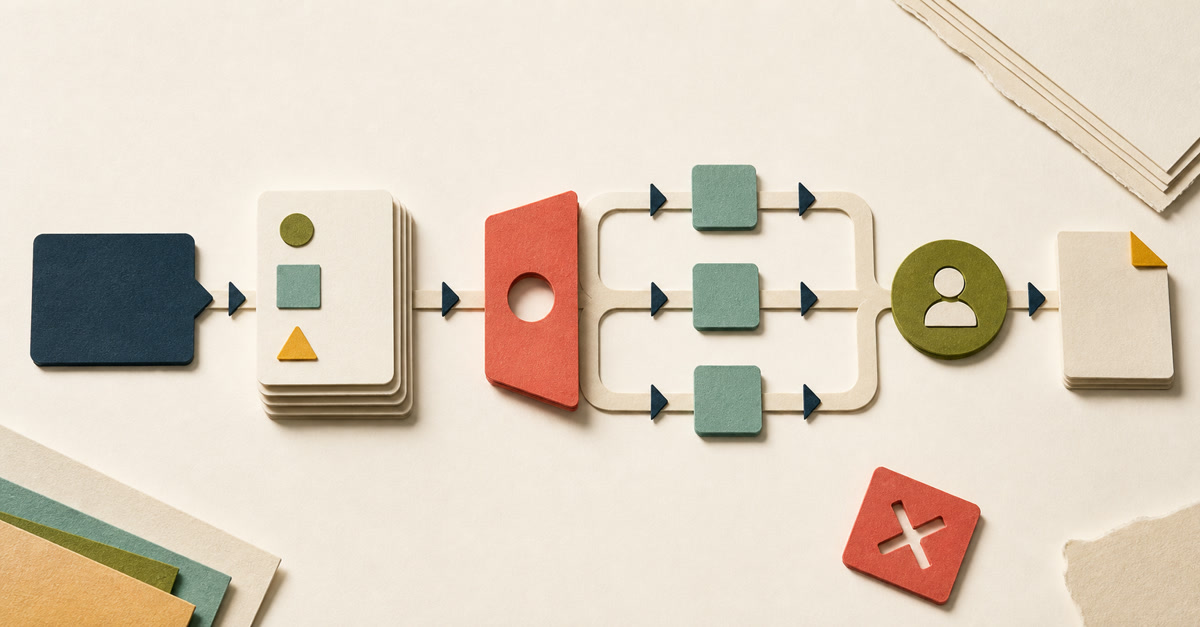
You have a prompt that works.
You save it somewhere sensible, give it an encouraging name and send it to a colleague. They use last month's brief by mistake, leave out the event date and still get a confident, beautifully formatted answer.
The prompt worked. The work did not.
An AI workflow is the complete, repeatable route from a known trigger to a checked work result, with AI doing one or more defined steps. It includes the inputs, permitted sources, quality checks, exceptions, next action and human owner—not merely the words typed into a chat box.
That distinction sounds fussy until the first wrong answer looks good enough to use.
What are the six parts of an AI workflow?
A useful workplace workflow joins six things together:
- Trigger: the event that starts the work.
- Inputs: the information that must be present.
- AI task: the narrow job AI may perform.
- Checks: the observable conditions the result must pass.
- Exceptions: the conditions that stop the route or send it to a person.
- Outcome and owner: what happens next and who is answerable for it.
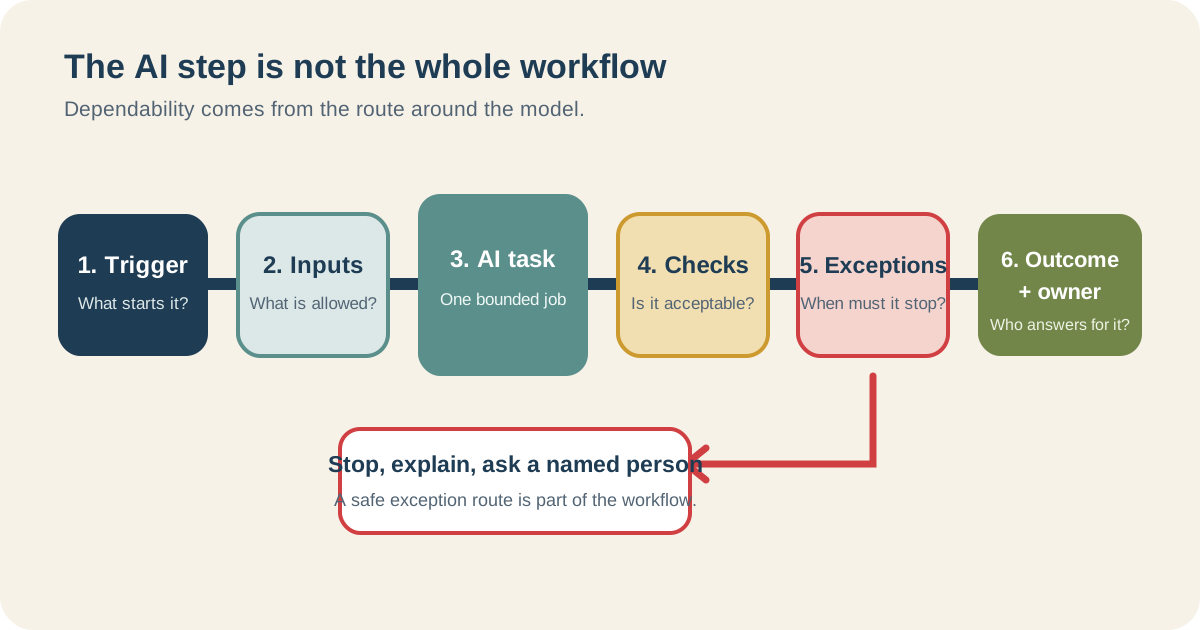
The AI step is usually the most interesting box. It is rarely the whole job.
The US National Institute of Standards and Technology makes a similar practical separation in its voluntary AI Risk Management Framework. It asks organisations to define the task, context, knowledge limits, tests and human oversight.
You do not need to turn a small office job into a governance programme. You do need to stop pretending that the prompt contains decisions it does not contain.
This week, a reader's comment on a Collab365 article started a real workflow. The work moved through the Markdown source, current product-name checks, an internal link, shared table styling and desktop and phone browser checks. AI helped with the words and files. It did not remove the source decisions, visual checks or my approval at the end.
The prompt was involved. It was nowhere near the whole workflow.
Can you show me a complete AI workflow example?
Take a modest task: drafting a 120-word event listing from an approved speaker brief.
Here is the prompt-only version:
Write an engaging 120-word event description from this speaker brief.
Perfectly reasonable. Also incomplete.
Here is the same task written as a workflow:
| Part | What it says for this task |
|---|---|
| Trigger | The events editor marks the speaker brief Approved for listing |
| Required inputs | Approved brief, confirmed title, speaker name, date, time, audience and booking link |
| Permitted source | The approved brief only; no web search or invented biography |
| AI task | Draft 100–120 words in plain English for the event page |
| Acceptance checks | Every named fact matches the brief; date, time and link are present; no unsupported claims or invented quotes |
| Stop rule | If a required fact is missing or two facts conflict, list the problem and do not draft around it |
| Outcome | Draft event listing placed in the review queue |
| Owner | Events editor approves, corrects or rejects it before publication |
Notice what changed.
The prompt became slightly more precise. The larger improvement happened around it: the workflow now says which brief is allowed, what must be present, what counts as acceptable and what happens when reality is inconvenient.
That is the bit people normally keep in their heads.
My own test is simple: if the person running it has to borrow your memory, it is not repeatable yet.
What is the difference between a prompt and an AI workflow?
A prompt is an instruction to an AI system. A workflow is an agreement about how a piece of work moves.
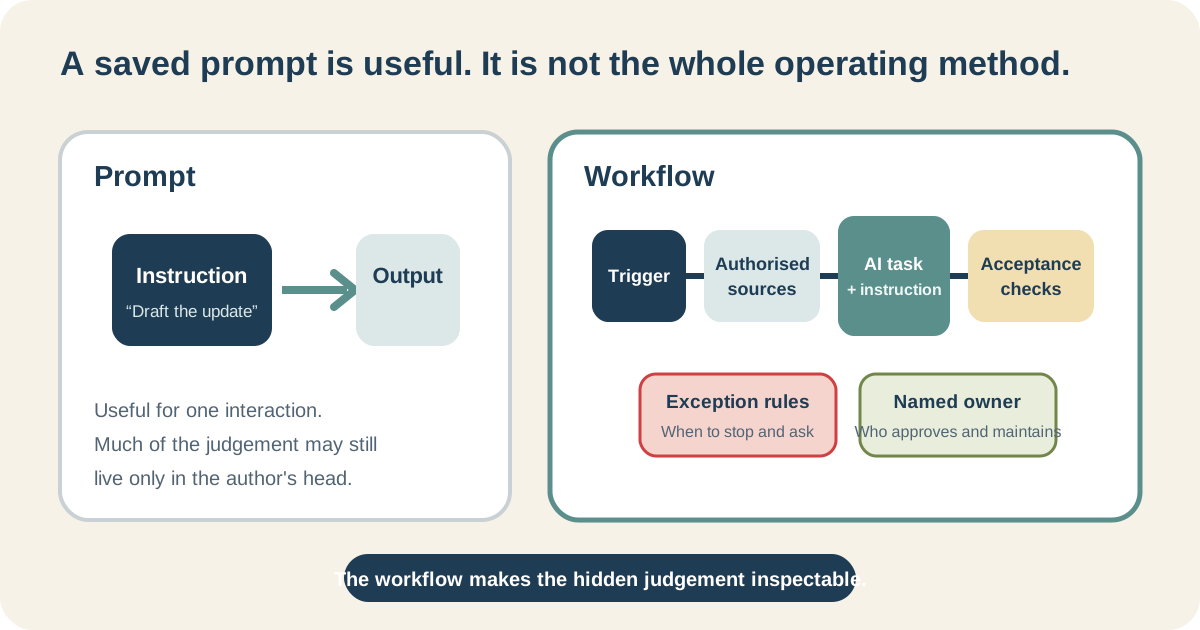
Saving the instruction does not save the judgement that made its first answer usable.
The difference is easiest to see when somebody else tries to use it.
The prompt author knows that “the brief” means the signed-off PDF, not the earlier Word draft. They spot an old booking link. They know the phrase “industry-leading” will start an argument with legal. They quietly make three corrections and remember none of them when they say, “It only takes thirty seconds.”
A workflow brings those decisions into the open.
It does not have to be software. A checklist beside a saved prompt is still a workflow if it reliably carries the work from start to checked finish.
What is not an AI workflow?
These things may be useful, but they are not complete workflows on their own:
- a saved prompt with no defined input or reviewer;
- a custom assistant that has instructions but no stop condition;
- a folder of example outputs with no explanation of what made them acceptable;
- an automation that moves generated text into another system without a failure route; or
- “ask Sarah if it looks wrong”.
That last one is common.
Sarah is not a workflow. Sarah is a person absorbing the ambiguity the workflow failed to handle.
Does an AI workflow have to be automated?
No.
You can run an excellent workflow manually in chat: select the approved input, use the saved instruction, check the result, record the decision and perform the next action yourself.
Automation becomes relevant only when the trigger, data movement, rules and permitted actions are stable enough to wire together. A shared assistant becomes relevant when several people would benefit from the same instructions and approved knowledge.
Those are later design choices. If you are already debating products, use the separate chat, custom assistant or automation comparison. This page has one job: helping you identify the workflow before you choose the machinery.
Does dependable mean identical answers?
No. A dependable process can allow different wording while keeping facts, required fields, prohibited content and approval stable.
If two event descriptions use different sentences but both match the approved brief, fit the length and pass editorial review, the variation may be harmless. If one invents a speaker credential, the fact that its punctuation matches yesterday's answer is not much comfort.
The detailed guide to why AI answers vary shows how to draw that boundary.
How do I know whether I have designed a workflow yet?
Try this slightly rude test: give your one-page description to a capable colleague and leave the room.
Can they tell:
- what starts the task;
- which input is current;
- what AI is and is not allowed to do;
- how to check the result;
- when to stop;
- who approves it; and
- what happens after approval?
If they must guess, you still have a personal technique.
That is not a criticism. Personal techniques are where useful workflows begin. It simply means there is more work between “this helped me” and “other people can depend on this”.
When you are ready to test the route rather than admire the first answer, use the seven-case AI workflow test.
Build the workflow before you buy more AI
Choose one recurring, low-consequence task whose finished result you already understand.
On one sheet, write the six parts. Circle anything that relies on “I just know”. Those circles are where your checks, stop rules or human judgement still need to be made visible.
The Build My First Repeatable AI Workflow Board walks you through that work and helps you decide whether the task should stay in chat, be revised, become shareable or not be delegated.
It does not certify the workflow or promise a productivity gain. It gives you something more useful than a saved prompt: a route another person can inspect.
In one sentence: what is an AI workflow?
It is a repeatable route from a defined trigger and permitted input to a checked outcome, with clear rules for AI, exceptions and human ownership.
Is a custom GPT or Copilot agent an AI workflow?
It can be part of one. The surrounding trigger, inputs, checks, exception route, approval and next action still have to exist.
What is the first thing I should document?
Start with the exact input and the person who approves the finished result. Those two answers expose a surprising amount of hidden ambiguity.