
Power Platform can support a focused internal learning workflow. It is not automatically a replacement for a commercial learning management system.
Build when the workflow is genuinely specific, close to your Microsoft 365 data, and worth owning. Buy when established learning capabilities, standards, support, and scale matter more than tailoring every step. Run a narrow prototype when you need evidence before making either decision.
If the users, learning job, completion rule, data, owner, and first-release boundary are still fuzzy, begin with I Want to Build an LMS in Microsoft 365 with AI. Where Do I Start?.
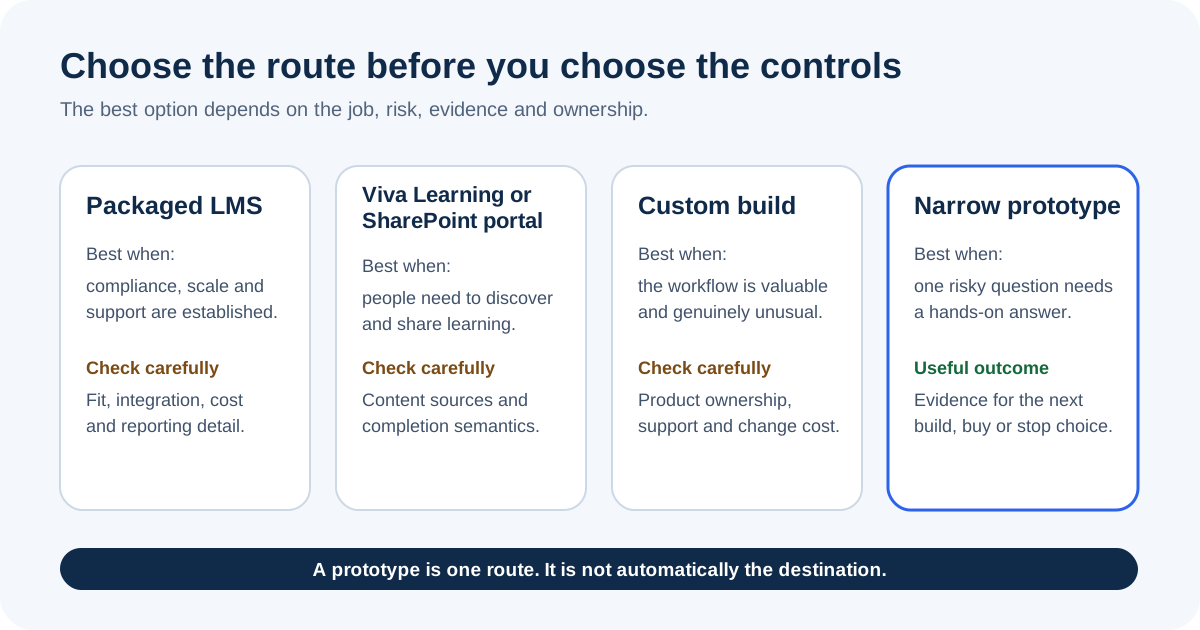
The four routes you are actually comparing
The unhelpful comparison is “Power Apps versus an LMS”.
The useful comparison is between four operating choices.
| Route | Strong fit | You still need to examine |
|---|---|---|
| Packaged LMS | Established standards, external learners, formal certification, mature reports, commerce, vendor support | Product fit, integration, data terms, licensing, support scope |
| Viva Learning or SharePoint portal | Discovering, recommending, and sharing approved learning inside Teams or SharePoint | Content sources, assignment depth, evidence, reporting, support boundary |
| Commissioned supported build | A distinctive workflow is valuable enough to fund and govern | Requirements, acceptance evidence, ownership, contract, handover |
| Narrow Power Platform prototype | One risky workflow question needs a hands-on answer | Prototype boundary, permissions, test evidence, next decision |
Do not score these routes by how quickly somebody can draw the home screen.
Score them by what must be true on an ordinary Tuesday when a learner cannot get in, a manager disputes the report, a connection fails, or the person who built it is on holiday.
Route 1: Buy a packaged LMS
A packaged LMS is the first route to examine when you need capabilities that are expensive to recreate badly:
- SCORM or xAPI support;
- external learner management;
- formal certification and renewal rules;
- examinations or proctoring;
- ecommerce;
- detailed learning administration;
- established reporting;
- vendor-backed support and service commitments.
The fact that a product has these features does not prove it fits your organisation. You still need to test the learner journey, administrator effort, identity model, data export, integrations, accessibility, retention, contract terms, and total cost.
The advantage is not “no work”. The advantage is that you are evaluating an operating product instead of becoming its product team.
Route 2: Use Viva Learning or a SharePoint portal
Sometimes “we need an LMS” really means “our people cannot find the approved learning”.
This route is not one Microsoft product. It covers two ways to give people a familiar front door: Viva Learning inside Teams, or a SharePoint portal such as Microsoft 365 learning pathways.
Microsoft Viva Learning is a central learning hub in Teams. Microsoft documents discovery, sharing, recommendations, content sources, and reported completion for recommended learning. It can also integrate with selected learning providers and LMS products.
That can make Viva Learning a strong front door. It does not make every organisation’s evidence, certification, or workflow requirement disappear.
Microsoft 365 learning pathways is a customisable SharePoint communication-site solution aimed at Microsoft 365 adoption content and playlists. Microsoft says it moved to community support on 1 December 2025 and is not covered by an existing Microsoft support contract.
That support status belongs in the decision. So do the questions:
- Is discovery the real problem?
- Is the content already available?
- Do managers need assignment and completion evidence?
- Is completion reported by the source or calculated by your process?
- Who supports custom content and the portal?
Route 3: Commission a supported build
There are perfectly sensible reasons to build a tailored learning system. The workflow may be unusually valuable, closely tied to another internal process, or poorly served by available products.
A commissioned build is different from asking one enthusiastic maker to “have a go”.
You can contract for:
- discovery and written requirements;
- architecture and data design;
- security review;
- accessibility;
- testing and acceptance;
- deployment;
- documentation;
- support and change management.
The hard part is making those boundaries explicit. “Build us an LMS” is not an acceptance test.
Ask who owns the source, solution, environments, connections, deployment pipeline, test evidence, documentation, and future change queue.
Route 4: Build a narrow Power Platform prototype
This is the route we used for the LMS Build Lab.
The lab is deliberately fictional. It contains a small course, a fictional learner, two required lessons, lesson progress, and a separate whole-course evidence record. The point is not to claim we produced a production LMS. The point is to make the important design questions touchable.
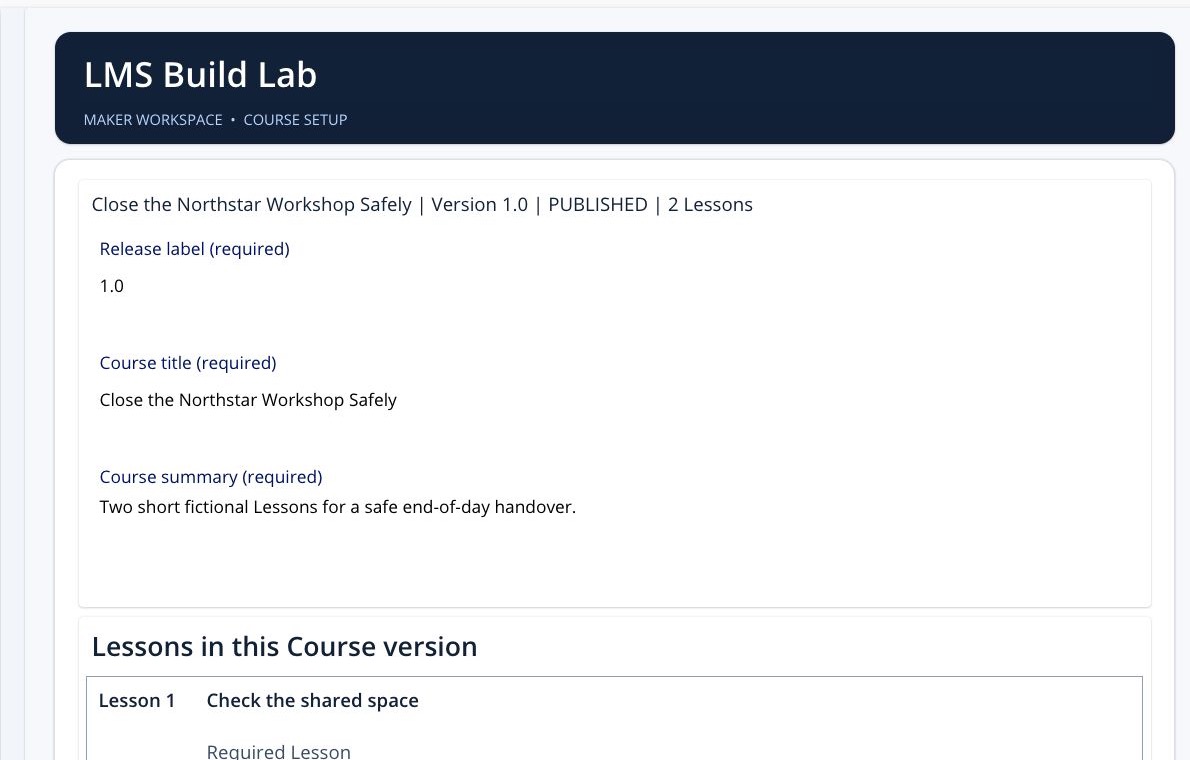
A narrow prototype is useful when you need to learn:
- whether the proposed data relationships make sense;
- where Dataverse permissions bite;
- how a learner moves through the task;
- what a completion record can honestly prove;
- whether the interface works outside the maker’s head;
- what evidence would be needed before a pilot.
It becomes dangerous when the smooth demo is allowed to answer questions it never tested.
What Power Platform gives you
Power Platform gives you building blocks, not a pre-assembled LMS operating model.
Dataverse
Dataverse can hold related course, learner, assignment, progress, and evidence records. It provides a role-based security model, solutions, APIs, and auditing features that can be configured for governed applications.
Those capabilities still need a design.
A sensible prototype model might include:
- Course;
- Course Version;
- Lesson;
- Enrolment;
- Lesson Progress;
- Course Evidence.
That is an example, not a universal LMS schema. Your certification, approval, content, identity, and retention requirements may need a very different model.
Canvas apps
A canvas app can give learners a focused interface. It is well suited to a short task where the screen should follow the work.
Responsive behaviour is deliberate. Microsoft’s responsive layout guidance explains that makers need suitable display settings, relative formulas, and layout containers. You still have to test the result at the actual sizes people use.
Model-driven apps
A model-driven app can suit administrators who need data-dense views, forms, related records, and Dataverse processes. Some solutions use a canvas app for learners and a model-driven app for administration over the same tables.
That is a design choice, not a rule.
Power Automate
Flows can assign learning, send reminders, route evidence, and notify owners about failure. Production flows need retry-safe logic, controlled connections, monitoring, and an owner who can recover them.
Power BI and Copilot Studio
Power BI may help with reporting. Copilot Studio may help people find approved information or navigate a process.
Both add their own identity, permission, licensing, grounding, and support questions. They do not become safe merely because the app is in Microsoft 365.
The costs that hide behind “we already own Microsoft 365”
Microsoft 365 ownership does not automatically include every Power Platform capability needed by a proposed LMS.
Dataverse, premium connectors, Power BI sharing, Copilot Studio, storage, and automation design can affect entitlement or capacity. Microsoft’s Power Apps licensing FAQ identifies Dataverse and premium connectors among the capabilities that can require premium entitlements.
Licensing changes. Check the current licensing guide and the exact tenant scenario rather than copying a per-user price into a design document.
Also cost the work:
- discovery;
- design;
- build;
- test;
- accessibility;
- security;
- data migration;
- release;
- support;
- reporting;
- incident response;
- future change.
The cheapest first screen can produce the most expensive unsupported service.
Five decision tests
1. Is the workflow genuinely distinctive?
If a packaged product already supports the required journey well, custom building needs a stronger reason than “we can”.
2. Can you define completion precisely?
If the organisation cannot agree what the evidence means, changing platforms will not solve the argument.
Read Your Power Apps LMS Says 100% Complete. What Did They Actually Finish? before designing the report.
3. Can you own the security model?
Microsoft documents that canvas-app sharing and data access are separate. Dataverse access depends on security roles and privileges in the environment.
Our lab exposed this immediately: the app opened, but the Course read failed until the missing Dataverse role was corrected. This diagnostic article explains that failure without pretending every read error has the same cause.
4. Can another person operate it?
The maker proving a happy path in Studio is not the same as a permitted colleague running the published version.
Use the colleague readiness check before you call the prototype shareable.
5. What decision will the prototype change?
Write this before building:
If the prototype demonstrates X and exposes Y within the agreed boundary, we will decide whether to buy, commission, extend, or stop.
If no result would change the decision, the prototype is theatre.
What our lab proves, and what it does not
We observed a real four-screen canvas app in the maker environment. It could load the fictional course, show the learner’s two completed lessons, and display a separate whole-course evidence record.
We also observed:
- one real Dataverse permission failure and the corrected read;
- a structured interface pass across course, learner, lesson, and evidence screens;
- no Formula issue count in App Checker;
- no Accessibility issue count in App Checker;
- ten Performance advisories still present.
The app was saved, not published.
We do not have verified second-environment deployment, handover evidence, production support, real-user outcomes, or regulatory assurance. Those gaps matter more than another screenshot.
See the complete evidence boundary in Inside the Learning Board: Build a Microsoft 365 LMS with AI.
The decision
Choose a packaged LMS when you need an established learning product.
Configure Microsoft 365 when discovery and access to approved learning are the main job.
Commission a build when the distinctive workflow is valuable and you want an accountable delivery and support arrangement.
Build a narrow Power Platform prototype when you need to make one risky decision with evidence.
If that final route fits, the paid Build a Microsoft 365 LMS with AI Board gives you the controlled build-and-prove journey. It is a learning route for a fictional, non-production lab. It does not install or certify a production LMS.
Sources
- Microsoft Learn: Overview of Microsoft Viva Learning
- Microsoft Learn: Microsoft 365 learning pathways
- Microsoft Learn: Role-based security roles for Dataverse
- Microsoft Learn: Create responsive layouts in canvas apps
- Microsoft Learn: Query limitations and delegation
- Microsoft Learn: ALM for a new Power Platform project
- Microsoft Learn: Power Apps licensing FAQs