
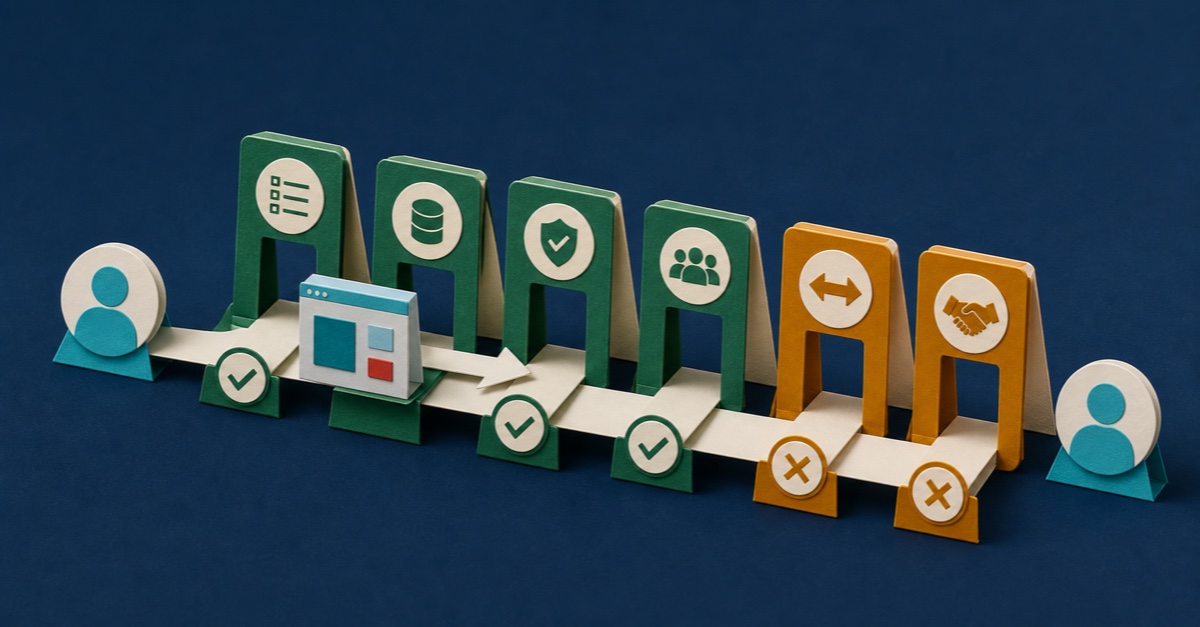
The app works while you are sitting beside it.
You open Power Apps Studio, click through the learner journey and watch Dataverse save the result. The screen looks tidy. The buttons finally behave. Then a colleague says, “Great. Send me the link.”
You send it.
They see an access error. Or an empty screen. Or the right screen with no records. Worse, they may see a cheerful success message even though the write underneath it failed.
Now the app is not merely unfinished. It has interrupted somebody else's day, and you are trying to diagnose their account while they wait.
This is the problem: you proved the app works for the maker. You did not prove it works for the person receiving the link.
Your Studio session has your permissions, your connections and your knowledge of every odd corner in the build. Your colleague has none of that. They only have the published app, the access they were given and the instructions on the screen.
The fix is not another hour of polishing.
Before you share the app, collect three pieces of proof:
- The colleague can open the exact version you mean to test and read only the data they need.
- They can complete the real job, including an awkward failure path, and the correct result is stored.
- Somebody can explain what passed, what failed and what happens next without relying on the maker's memory.
This guide walks you through that handoff. By the end, you will know whether the app is ready for one controlled colleague test, ready for a wider pilot, or simply not ready to send.
The maker preview is giving you false confidence
The dangerous app is not always the one covered in red errors.
It is often the one that behaves perfectly for the person who built it.
The maker usually has broader privileges than the intended user. They know which loading delay to ignore, which button needs a second click and which warning can be cleared with a refresh. They also know what the app was supposed to mean, so vague labels feel obvious.
A colleague arrives without any of those advantages.
That exposes several gaps at once:
- the latest changes were saved but never published;
- the app was shared, but the Dataverse role or another data source was not;
- the test account can open the app but cannot reach the required rows;
- the maker's administrator rights hide a missing privilege;
- a formula displays success before the data write is confirmed;
- an empty, denied or disconnected state has no useful message;
- the layout works on the maker's screen but not on the colleague's device;
- nobody knows who owns the app when the maker is unavailable.
Any one of those can turn “send me the link” into a support call.
The worst failures are the quiet ones. An access error is irritating, but visible. A completion message with no saved record can sit unnoticed until somebody relies on the report.
We nearly made this mistake with our LMS app
While working through our Build a Microsoft 365 LMS with AI Learning Board, we built a small fictional canvas app. Lina Learner could open an assigned course, complete two required lessons and see a separate whole-course evidence record.
In the maker preview, that felt close to done.
It was not.
At one point the learner screen said the setup was not ready while the course card underneath said READY and 2 of 2 required Lessons complete.
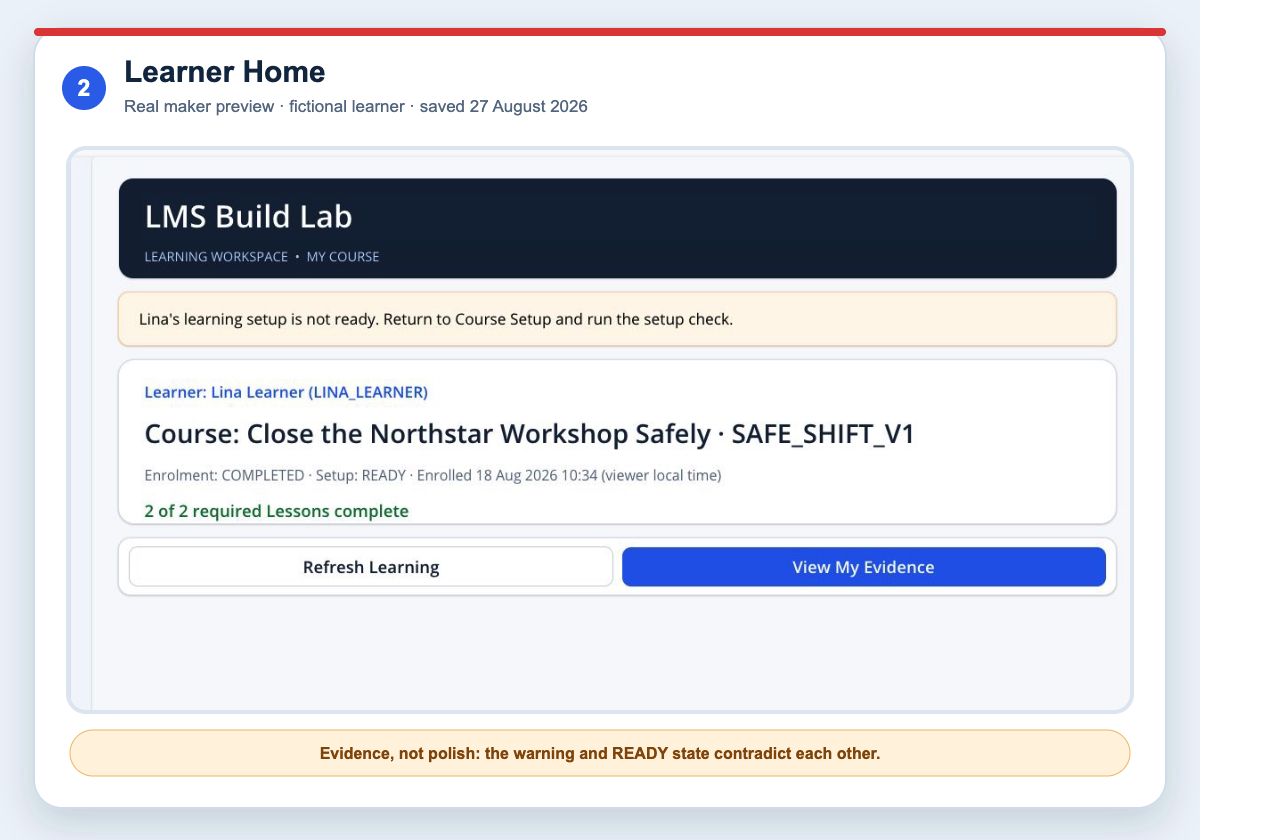
Real maker-preview evidence from the fictional LMS app on 27 August 2026. The contradiction is exactly the sort of thing a colleague test should expose.
We also hit a more important failure. The app opened, but its custom Course table could not be read because the signed-in account did not have the required Dataverse security role in that environment.
That is a useful lesson. Opening the app and reading its data are separate gates.
Later, we fixed the permission, tidied the screens and verified the fictional records. But the app was still saved rather than published. No colleague with an ordinary learner role had run the full journey. We had not moved the solution to a second environment or handed the notes to another owner.
The honest answer to “Would you send the link?” was still no.
That stopping point became the checklist below.
Start by deciding what “ready” means
Do not use one vague label for every stage.
I would separate these three decisions:
| Decision | What you need to prove |
|---|---|
| Ready for a controlled colleague test | One named person can open the intended published version, complete a named job with fictional or approved test data, see an honest result and report a problem. |
| Ready for a pilot | Representative roles can complete the important journeys, failure paths are understood, the solution can be deployed to the pilot environment and an owner can support it. |
| Ready for production | Your organisation's security, privacy, accessibility, performance, support, recovery, compliance and release requirements have all been met. |
This article helps you make the first decision and shows the evidence you will need before the second.
It does not turn a successful colleague test into production approval.
The practical handoff check
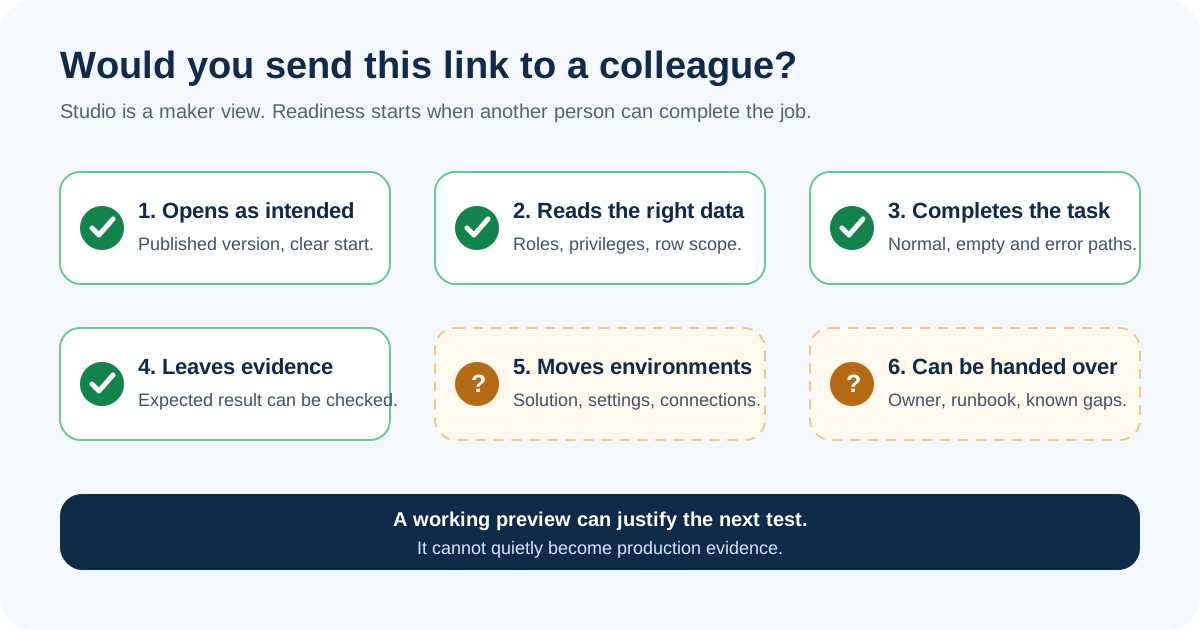
If I were standing beside you, I would work through the check in three passes. Do not start by asking your colleague to “have a look”. Give each pass a job and an expected result.
Pass 1: Prove the exact version and access path
First, remove the maker account from the evidence.
Save, publish and identify the version
Microsoft's canvas-app sharing guidance says the app must be saved and published before it is shared. When you change it, you need to save and publish again for other people to see the new version.
Record:
- app name and app ID;
- environment;
- saved time;
- published time;
- short change note;
- person who published it;
- route back if the test fails badly.
Then open the published app, not the authoring preview.
If you cannot tell which version the colleague is testing, stop there. A failed test against an unknown version teaches you very little.
Use a realistic test account
Do not give the tester your maker role just to make the screen load.
Use the narrow role they are expected to have. For a Dataverse-backed app, check that:
- the person exists in the intended environment;
- the app is shared with them or an appropriate security group;
- the required Dataverse security role is assigned;
- the role has the required table privileges;
- ownership, team, business unit or sharing rules expose the intended rows;
- flows, connections, gateways and other dependencies are available as designed.
Microsoft is explicit about this boundary. Sharing a canvas app does not, by itself, settle access to its underlying data sources and dependent resources.
In our fictional LMS app, the custom Course row existed but the read was denied before the lookup could succeed. The learner-facing message made it sound as if the course was missing. The actual fault was the security path.
Use the four-gate Dataverse permission diagnostic if an app opens but its data appears to be missing.
Check what they can see as well as what they cannot
Permission testing has two sides.
Prove that the learner can reach their assigned record. Then prove that they cannot reach another learner's record or a maker-only course screen.
“It loads now” is not enough if you solved the problem by giving the test account more access than the real user should have.
Pass 2: Prove the job and the stored result
Give the colleague one sentence, a starting point and an observable finish.
For our LMS example:
Open your assigned course, complete the remaining required lesson, then show the whole-course evidence created for SAFE_SHIFT_V1.
Do not narrate every click. Watch what the interface makes them ask.
Record:
- where they started;
- what they thought the task was;
- where they hesitated;
- what they clicked;
- what the screen said happened;
- what Dataverse says happened;
- what they expected to happen next.
That last question catches ambiguous language. A learner may understand Complete to mean approved, while the record only says a button was pressed.
Inspect the record, not only the screen
After the journey, use an authorised route to check the stored result.
For the fictional LMS app, we would verify:
- the correct learner;
- the assigned course release;
- the required lesson set;
- one progress result per expected lesson;
- the time of each event;
- exactly one whole-course evidence record;
- the rule used to create it.
The current maker preview shows two completed required lessons and a separate whole-course Evidence code. That is useful prototype evidence. It is not identity assurance, manager approval or a regulatory record.
Your Power Apps LMS Says 100% Complete. What Did They Actually Finish? shows how to model that result properly.
Make the app fail on purpose
The happy path tells you the buttons can work. The awkward paths tell you whether another person can recover without you.
Run at least these checks:
| Test state | What a useful result looks like |
|---|---|
| No assignment | The app says nothing is assigned. It does not show another person's data or a generic crash. |
| Missing privilege | The app gives an honest access or data message, reveals no private record detail and provides a support route. |
| Double click or retry | The action does not create duplicate completion or evidence records. |
| Failed connection or write | The app does not show success. The person can retry safely or report the fault. |
| Narrow screen | Labels remain readable, controls fit, focus order makes sense and the main action is still available. |
| Return visit | The person sees the stored state rather than a stale local assumption. |
Test with fictional data or an approved test fixture. Do not borrow a real person's learning record because it makes the demo look convincing.
Use automation for repetition, not judgement
Power Apps App Checker is worth running. In our maker session it displayed no Formula or Accessibility issue count, plus ten Performance advisories.
That is a useful input, not a certificate.
It does not prove that the business rule is correct, the learner can complete the journey with a screen reader, the app performs at production volume or the Dataverse role is sensible.
Microsoft deprecated Power Apps Test Engine in April 2026 and now points makers to the Power Platform Playwright samples. Those samples support canvas apps and provide a TypeScript and Playwright route for repeatable browser tests.
Use Playwright to repeat a journey such as opening the published app, completing both lessons and checking the visible result. Then inspect the stored rows as well.
Automation can repeat the route you described. A colleague can still notice a confusing instruction or permission boundary that your test never asked about.
Pass 3: Prove the app can leave the maker
A colleague test is not a release process, but it should leave behind enough evidence for the next decision.
Write a short test record
Use a table like this:
| Area | Evidence | Result | Owner | Gap |
|---|---|---|---|---|
| Published version | App ID, version note and published time | Pass or fail | Maker | |
| User access | App share, role and permitted row check | Pass or fail | Platform owner | |
| Main job | Named journey and observed result | Pass or fail | Tester | |
| Stored data | Expected row and duplicate check | Pass or fail | Tester | |
| Failure paths | Empty, denied, retry and connection checks | Pass or fail | Tester | |
| Device and access | Named sizes, keyboard and accessibility checks | Pass or fail | Maker | |
| Automated checks | App Checker and Playwright evidence | Pass or fail | Maker | |
| Support route | Named owner and reporting instructions | Pass or fail | Service owner |
Write fail when a check fails. Do not turn a blank cell into an implied pass.
The result of this record is a decision:
- Send to one controlled tester;
- Fix the named gaps and repeat;
- Prepare for a wider pilot.
“Looks good” is not one of the options.
Ask whether it survives another environment
Before a wider pilot, prove that the app is not tied to the maker environment by accident.
Microsoft's ALM guidance says development and production are the minimum separate environments for a new project, and recommends development, test and production.
For the next release step, check that:
- the app and required components are in a solution;
- connection references can be configured;
- environment variables have documented values;
- Dataverse tables, choices and roles arrive as intended;
- flows have the right owners and can be turned on safely;
- approved test data can be created;
- the same colleague journey passes after import.
We have not proved that for the current fictional LMS app. Its behaviour in the maker environment does not allow us to claim that it will move cleanly.
Hand the notes to somebody cold
Write down the purpose, exclusions, environment, solution, data model, roles, connections, completion rule, test results, known gaps, rollback route and support owner.
Then give the notes to somebody who did not build the app.
Ask them:
- What does this app claim to do?
- Who can see which records?
- What result should the main journey store?
- What would you check after a failed release?
- Which gaps remain before a pilot?
If the answers still live only in the maker's head or an old AI chat, the handover is not ready.
The current verdict on our fictional LMS app
The saved maker preview proves a useful slice of the build:
- one fictional learner could open the assigned course after the Dataverse role was corrected;
- two required lessons displayed as complete;
- a separate whole-course evidence record was visible;
- the permission failure was diagnosed;
- the interface was made clearer across the four existing screens;
- App Checker showed no Formula or Accessibility issue count.
It does not prove colleague readiness.
The app was not published. We did not observe a non-maker completing the published journey. Ten Performance advisories remained. We did not move the solution to a second environment or prove the handover with a cold reader.
So the decision is simple: do not send the link yet.
That is not a disappointing ending. It is a useful release decision backed by evidence.
The next job is no longer “finish the app”. It is specific: publish the intended version, test it with the narrow learner role, inspect the stored result, record the failures and repeat until the controlled colleague check passes.
Inside the Learning Board: Build a Microsoft 365 LMS with AI shows what the Board contains, the screens we built and the proof boundary we kept.
If you are still deciding whether a custom Power Platform route is sensible, start with Should You Build an LMS on Microsoft Power Platform?.
When you want to work through the whole fictional build with AI coaching, the paid Build a Microsoft 365 LMS with AI Board takes you from the first environment check through the app, testing, second-environment verification and handover.
It is a guided Learning Board, not an installed production LMS. Your organisation still owns every decision about piloting, publishing and operating a real app.
Sources
- Microsoft Learn: Share a canvas app with your organisation
- Microsoft Learn: Role-based security roles for Dataverse
- Microsoft Learn: Create responsive layouts in canvas apps
- Microsoft Learn: Create accessible canvas apps
- Microsoft Learn: Deprecation of Power Apps Test Engine
- Microsoft Learn: Power Platform Playwright samples
- Microsoft Learn: ALM for a new Power Platform project