Brief It Like a Manager
The same task, briefed two ways, comes back unrecognisably different. Five questions turn a vague wish into a brief an AI can nail.

Say your first delegated task went well. The copy of your Downloads folder from chapter 4 is sorted, the report made sense, and you are feeling brave.
So you hand your agent something real: the competitor scan. Twelve rival websites, one briefing note your manager actually wants. You type: “Have a look at our competitors and tell me what they're doing.”
Twenty minutes later, back come eleven pages. Half of them cover companies you do not compete with. There is a section on a firm you are fairly sure shut down last year, and a closing paragraph announcing that the competitive landscape is evolving rapidly.
Technically, it did what you asked. That is the problem. You asked for almost nothing in particular, and that is exactly what you got.
This is the moment plenty of people quietly give up on agents. It is also a moment any experienced manager would recognise at once, because they have watched the human version: give a bright new starter a vague instruction on Monday and collect a week of confident work on the wrong thing on Friday.
The worker is not the problem. The brief is.
The same task, briefed properly
Here is the same competitor scan, briefed the way you would brief a capable temp on their first morning. Read it once now. We will take it apart piece by piece afterwards.
Same tool. Same task. Same afternoon. What comes back from this version is a document you can actually forward, and when something looks off, there is a link showing exactly where it came from.
Count the difference in effort, too. The vague brief took ten seconds to type. The good one took four minutes, and it buys back the hour you would have spent rewriting eleven useless pages.
Nothing in that brief is clever. There is no secret syntax, no magic phrases, nothing you would call prompt engineering.
It is just management. Which is good news, because management is a skill you can learn, and it works on every tool in this guide, including the ones that have not been built yet.

The five questions a good manager answers
Think about the last time someone delegated to you properly. Before they walked away from your desk, they had answered five questions, probably without noticing they were doing it.
Answer the same five before you hand a task to an agent and most of the misery in this chapter's opening scene disappears. Not all of it. Agents still stumble, and chapter 7 deals with that honestly. But most.
1. What does finished look like?
Describe the destination, not the route. “I want a two page briefing note” beats eight numbered steps about which website to open first.
This feels backwards if you grew up writing instructions for computers, where every step had to be spelled out. But an agent is not a recipe follower. It plans its own route, and it usually knows more routes than you do.
What it cannot know is where you want to end up. That part is your job, and only yours.
A quick test: does your brief open with the thing you want, or with the first action you imagined? If it opens with an action, turn it round so it opens with the outcome.
Sometimes the route genuinely matters: a compliance step, a system that must be used, a source that must not be. Fine. Put the route in as a constraint, which is question three's job. The brief still opens with the outcome.
2. What are you working with?
Point at the inputs by name: the folder, the files, the links. “The invoices are in the folder called Invoices copy” saves the agent guessing and saves you a round of questions later.
Then make the highest-value move in this whole chapter: give it an example. “Match the layout of last month's file” carries more instruction than twenty lines of description, because the example silently answers a hundred small questions you would never think to write down. Column order, headings, tone, length: all settled in six words.
Managers do this on instinct. “Make it look like the last one” is delegation shorthand as old as offices. It works just as well here.
3. What must you leave alone?
Constraints are the fences. Work only in this folder. Do not change any figure. Two pages, not ten. British spelling.
Do not try to fence everything; you will never think of it all, and a brief with forty rules is as useless as a brief with none. Fence the things that would hurt: anything hard to undo, anything another human will see, any number that must stay true.
If naming those fences feels difficult, that is chapter 6's reversibility test doing its job. Could you undo it in five minutes? Then it needs no fence.
4. How will we both know it is done?
This is the anti-disappointment question. Most upset with agents is not outright failure. It is an agent proudly finishing a different job from the one in your head.
So write the finish line down: “Done means one spreadsheet, one row per invoice, a totals row at the bottom, and a list of anything you skipped.” One sentence.
That sentence does double duty. Chapter 3 showed you the loop, where an agent checks its own work and has another go. Your done sentence is what the loop checks against. Leave it out and the agent is marking its own homework with no marking scheme.
A rule worth keeping: if you cannot write the done sentence, you are not ready to delegate the task. Sharpen the task first.
5. What should you come and ask me about?
A good new starter knows when to knock on your door. An agent has to be told.
So tell it, with one standing line at the end of every brief you ever write:
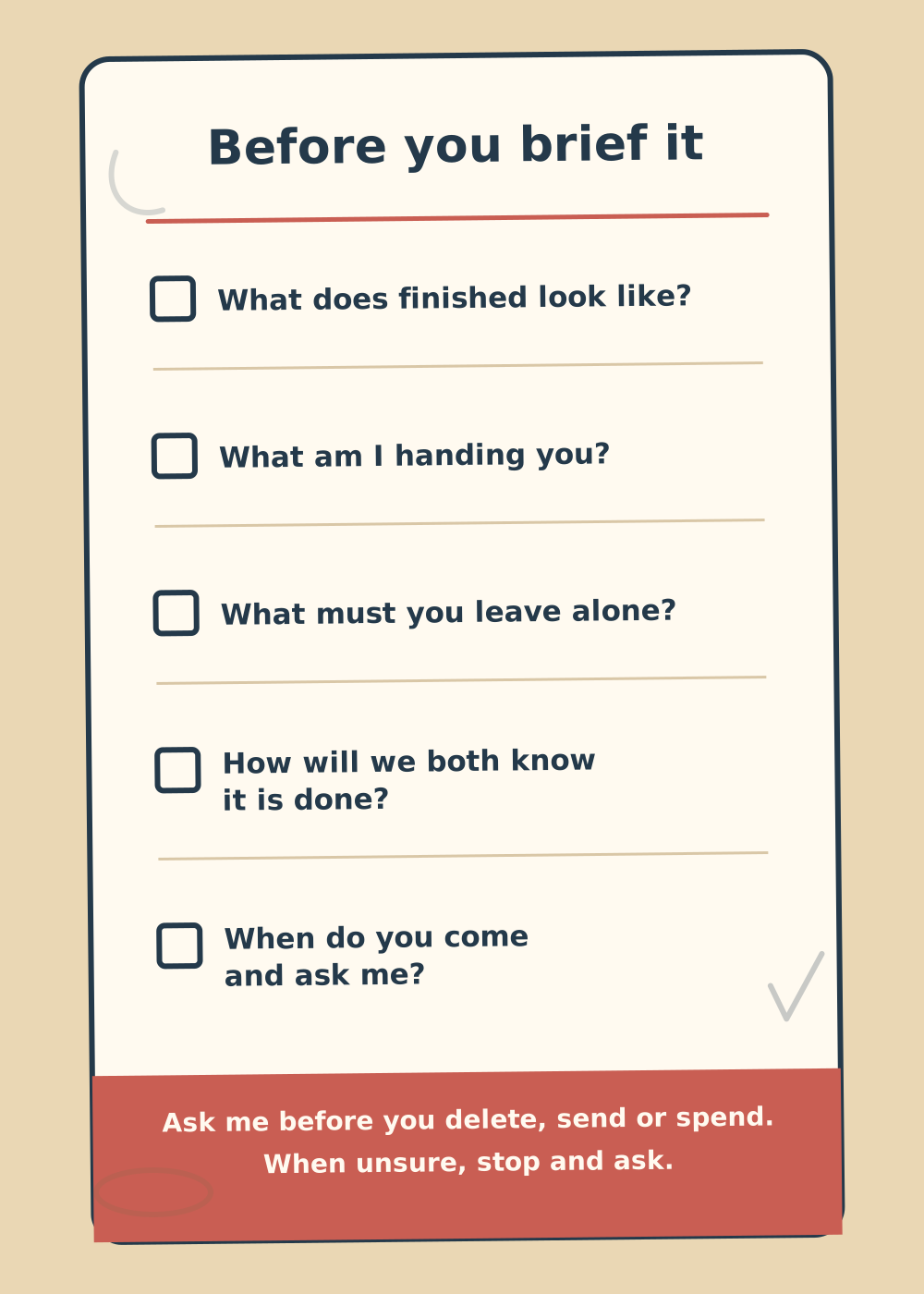
The standing escalation rule. One line at the end of every brief keeps the three most regrettable actions behind a question you get to answer first.
Deleting, sending and spending are where agent horror stories live, because all three are hard or impossible to undo. Put them permanently behind a knock on your door.
Add task-specific escalations on top when they earn their place. Ask me if a site will not load. Ask me if two invoices look like duplicates. Ask me before contacting anyone. An escalation line costs nothing when unused and saves you dearly when triggered.
And that is the whole method. What does finished look like, what am I handing you, what must you leave alone, how will we both know it is done, and when do you come and ask me.
No framework, no name to memorise. Five questions you already know how to answer, because you have been on the receiving end of good and bad delegation your whole working life.
| Vague | Useful | |
|---|---|---|
| The outcome | “Sort out my files” | “Move every file in this folder into subfolders named by file type and month” |
| The inputs | “You know the ones I mean” | “Work on the folder called Invoices copy. Match the layout of last month's spreadsheet, attached” |
| The fences | “Use your judgement” | “Touch nothing outside this folder. Do not change any figure, name or date” |
| The finish line | “Make it useful” | “Done means one spreadsheet, one row per invoice, a totals row, and a list of anything you skipped” |
| The check-ins | Nothing. You just walk away. | “Ask me before you delete, send or spend. When unsure, stop and ask.” |
The rewrite clinic
Theory over. Here are three briefs of the kind people actually type, fixed in place. Read the bad one, guess which of the five questions it leaves unanswered, then check the repair.
Clinic 1: “Make this report better”
Better for whom? Better how? An agent handed this will make confident changes in every direction at once: tone, structure, length, and sometimes the facts. The facts are the frightening part.
Score it against the five questions and it fails four. No outcome beyond a feeling, no example to aim at, no fence around the figures, no finish line.
Clinic 2: “Find me some options for the team offsite”
“Some options” is a wish, not an outcome. No count, no budget, no location, no format.
Worse, there is no fence around the one thing you really do not want: an agent cheerfully filling in venue enquiry forms in your name across half the internet. Remember who owns the standing rule about sending.
Clinic 3: “Clean up this spreadsheet”
“Clean” means something different to every tidy person you have ever met. To an agent, it can read as an invitation to delete.
The repair names each change, works on a copy, and fences off everything else. Notice the finish line asks for a count of what was removed: that is your sixty-second check, ready made.
Notice what the three repairs share. It is not length for its own sake; the offsite brief is barely 120 words.
They share answered questions. That is the entire trick.
Templates for the four tasks you already know
This guide keeps returning to the same four scenarios so you can watch your skills stack. Here are their briefs, ready to adapt. The competitor scan is the one you read at the top of this chapter; these are the other three.
Swap anything in square brackets, keep the bones.
That is the invoice pile from chapter 1, written out as the full brief. One habit to bolt onto it: when the result is numbers, spot-check three rows against the source PDFs before you trust the total. Chapter 7 turns that into a full routine.
These four will not fit your job perfectly, and they are not meant to. The five questions underneath them fit every job, which is why this chapter taught you the questions first and the templates second.
When to loosen the reins
One honest caveat before you laminate that checklist card.
Everything above is for production work: tasks where you already know what finished looks like. Not every task is like that. Sometimes the whole point is to find out what is even there.
“Have a wander through these customer feedback files and tell me anything interesting” is a perfectly good brief for an exploring task. So is “what would you do with this folder?”. Tight constraints here would strangle the one thing you were after: surprise.
The rule is simple. Tight brief when you know what finished looks like. Loose brief when finding out is the job.
And treat loose-brief results as conversation, not deliverables. You are panning for ideas, not signing off work, so nothing from a loose run goes to another human without passing through a tight brief first.
The failure mode is mixing the two up. A loose brief with production expectations gives you the eleven pages from the top of this chapter. A tight brief on an exploration gives you a neat answer to a question you should not have narrowed yet.
The skill that transfers
Here is why this chapter matters beyond this week's task list.
Prompt tricks expire. Every few months a tool update makes last season's clever phrasing pointless. The five questions do not expire, because they were never about the software. They are about being clear on what you want, which was always the hard part of delegation, human or otherwise.
Chapter 1 gave you the test that runs through this whole guide: who does the typing? Briefing is how you make sure that when the agent does the typing, it types the right thing.
And if part of you is still quietly worried about what these tools mean for your job, notice what you just spent a chapter practising. Not operating software. Setting outcomes, drawing boundaries, defining done, deciding what gets escalated.
There is a word for that work. It is management, applied somewhere new, and it is precisely the part of your job that gets more valuable as the typing gets automated.