The Tools, Mapped
Claude Cowork, ChatGPT Work, Copilot, Gemini, Grok and friends, mapped by where they sit in your day. Three questions tell you which one is yours. You probably already own it.

It is 9pm, you are seven chapters in, and you have decided tonight is the night you pick your tool. So you search. The internet hands you a bucket of names: Cowork, Copilot, Comet, Codex, Cursor.
Five products beginning with C. Two of them are for programmers and nothing in the names tells you which two.
This chapter is the way out of the name soup. We are not going to rank 47 products, because you do not need 47 products. You need one, and there is a decent chance you already pay for it.
So ignore the brands for a minute. The question that actually sorts this market is simpler: where does the AI sit?
Five places an AI can sit
Every tool on this map passes the chapter 1 test: it does the typing, not you. What separates them is where the typing happens.
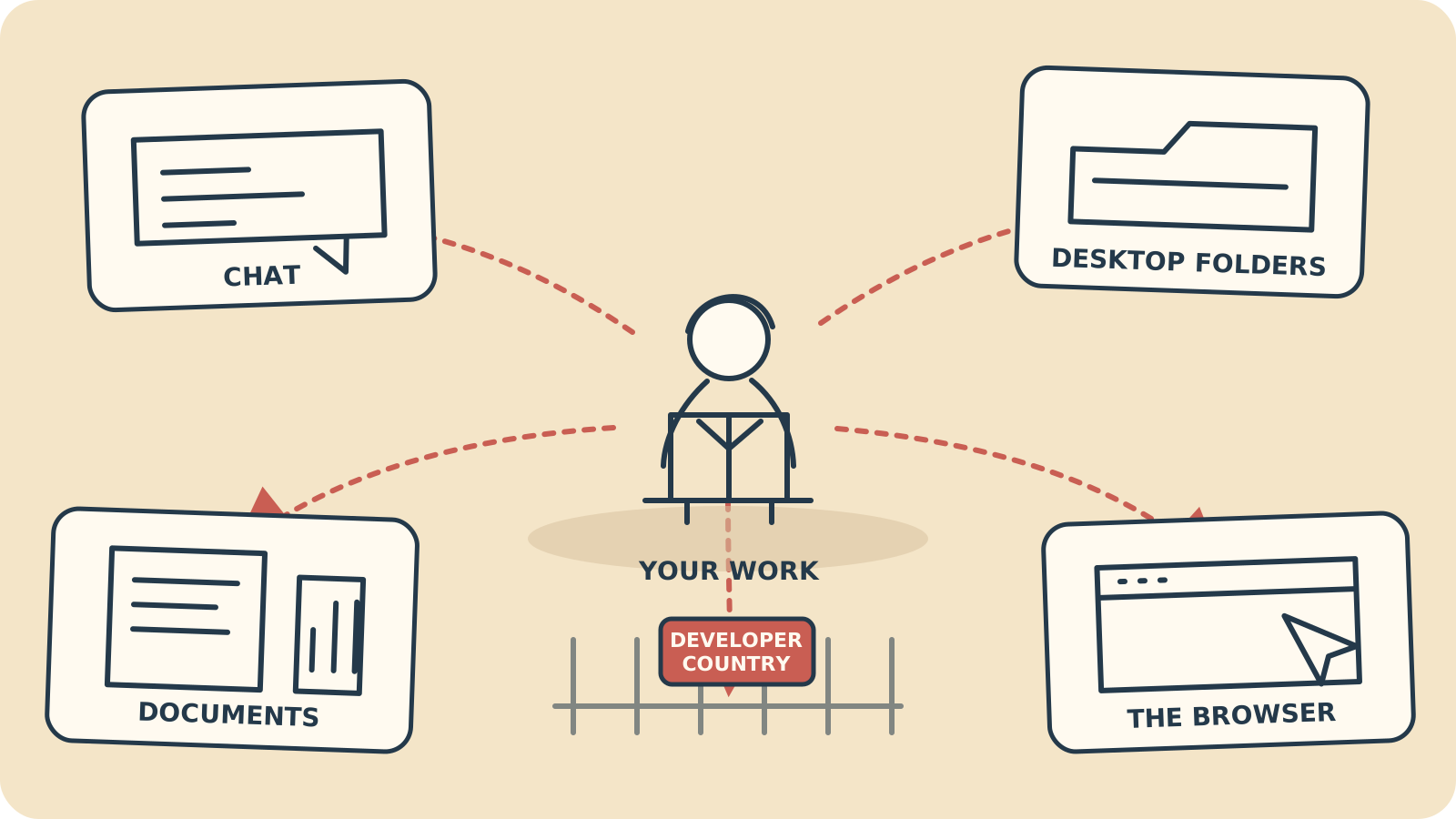
As of August 2026 there are five places an agent can live. (Quick reminder: an agent is software that can use a computer to finish a task you describe.)
1. In your chat app. You brief it in the window you already chat in, the work happens in the cloud (the company's computers, not yours), and a finished file comes back. ChatGPT Work lives here, and so does most of Gemini.
2. On your desktop, in your files. The agent runs on your computer and works inside folders you choose, and only those folders. Claude Cowork lives here.
3. Inside your documents. The agent sits within Word, Excel and PowerPoint and edits the file you already have open. Copilot Agent Mode lives here, which makes it the gentlest on-ramp if your whole day happens in Office.
4. In your browser. The agent clicks, types and fills in forms on websites while you watch. Claude in Chrome, Gemini's Auto Browse and the free Comet browser all live here.
5. In a terminal. A terminal is the typed-command window developers work in. Real agents live here too, but this is developer country: we will read the road signs so you can decode your colleagues, then we will not move in.
The players, honestly
One honest look at each, using only facts we checked on the date stamped under the big table below.
Claude Cowork: the desktop worker
Cowork is Anthropic's desktop app, aimed squarely at people like you: non-technical office workers in marketing, sales, legal and finance, not programmers. It arrived on Mac in January 2026 and Windows in February, and a web and mobile version has been in beta (a test release, mostly working, still being finished) since July.
You point it at a folder and describe the outcome you want. It works inside that folder, opens a browser when a task needs the web, runs scheduled tasks unattended, and can split a big job into parallel chunks.
It can also take over the screen when a task calls for it, and reach into Microsoft 365, Google Drive and Slack through connectors (the plugs from chapter 3 that let it use your other apps). The safety rail is scope: it works in the folders you gave it, and the copy-first habit from chapter 4 still applies to anything you care about.
It is included in Claude Pro at $20 a month, and in the bigger Max plans. A plugin marketplace has been open since February. If you did chapter 4 with Cowork, you have already shaken hands.
Anthropic also ships Claude in Chrome: an extension (a small add-on you install inside the Chrome browser) that clicks, types, fills forms and works across several tabs. It can also repeat a saved browser task on a schedule, though only while Chrome is open. It is in open beta on all paid Claude plans, Chrome only, and the chapter 6 rule applies: watch it work.
ChatGPT Work: the cloud worker
ChatGPT Work launched on 9 July 2026, and it is OpenAI's third run at this category: Operator came in January 2025, agent mode in July 2025, and ChatGPT Work replaced them both.
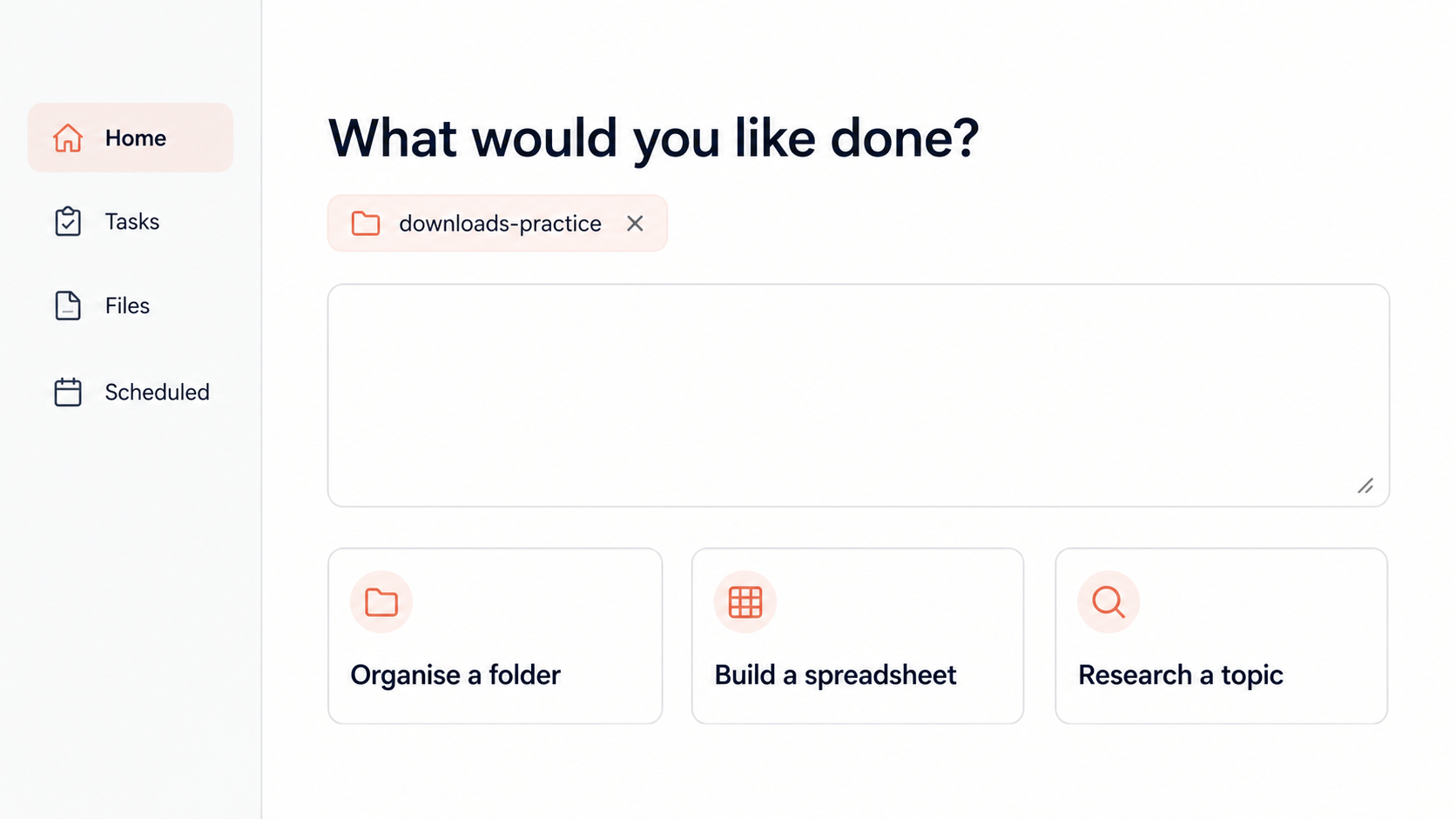
The shape is different from Cowork's. You brief it inside ChatGPT, it goes away and does long multi-step work on OpenAI's computers, and it comes back with finished deliverables: documents, spreadsheets, presentations, reports, and a format it calls Sites.
It works from apps and files you have connected rather than the folders on your desk, and it drives a real browser of its own for web tasks, clicking and typing like a person would. You can watch its progress as it goes, and it stops to ask your approval before sensitive actions: the same seatbelt you met in chapter 6, worn in the cloud.
Scheduled Tasks are built in: run something once, on a schedule, on a trigger, or as a standing monitor. It is included from ChatGPT Plus at $20 a month upwards, and not in the Free or Go plans.
Copilot Agent Mode: the one inside your documents
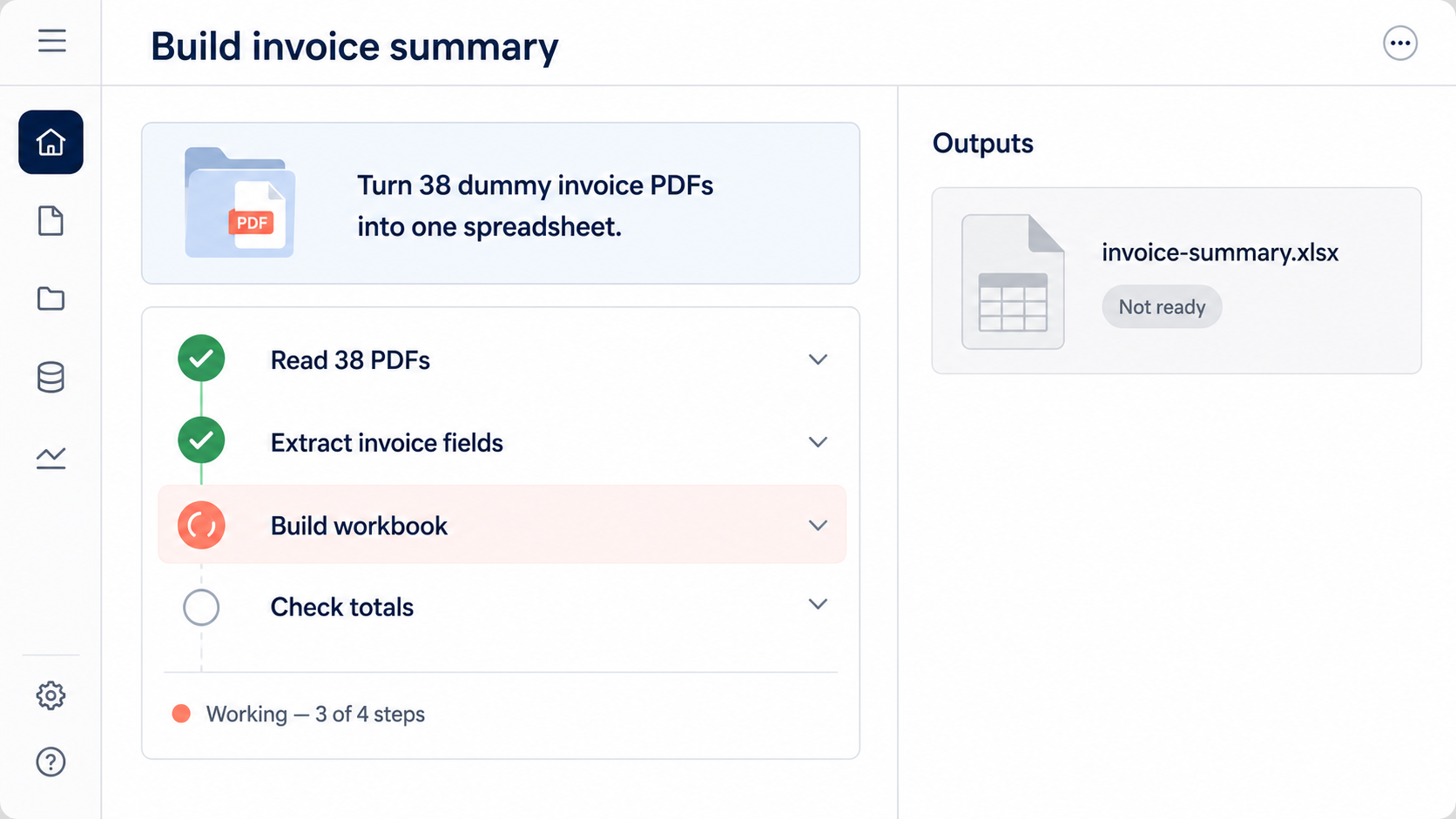
If your day is Word, Excel and PowerPoint, Microsoft's answer is already installed. Agent Mode was fully released on 22 April 2026 and is now the default experience: instead of advising from a side panel, Copilot edits the file itself, step by step.
Two named agents ride along for heavier work: Researcher, for deep research, and Analyst, for data analysis. Both have been fully released since June 2025.
Agent Mode itself has no scheduler. Recurring work lives next door in Copilot Chat as Scheduled Prompts: any prompt, on a recurrence, up to ten per person.
At home, Microsoft 365 Premium at $19.99 a month includes Agent Mode and Researcher. At work it is usually the Copilot add-on at roughly $30 per user per month, which makes this the “ask IT” tool: if your company pays, it may already be sitting in your ribbon.
One honest flag. Microsoft is also previewing Copilot Actions on Windows 11, with an Agent Workspace where an agent acts on the whole PC rather than one document. As of August 2026 that is an experimental preview for the Windows Insider early-access programme, off by default. It is not a beginner tool yet, and you should not treat it as one; this guide will say so when that changes.
Gemini: strong pieces, scattered
Google's agent story is real but spread across surfaces. The Gemini app has Scheduled Actions on its Pro and Ultra tiers: standing instructions that run without you, say a summary that lands every morning.
In Chrome, Auto Browse does agentic web browsing, and the fence around it matters: it reached all US Android users on 18 August 2026, capped at 20 tasks a day on Pro and 200 on Ultra. If you are on an iPhone in Leeds, it is not for you yet.
There is also Gemini Spark, announced in May 2026: an always-on agent working across Google's apps. It is in beta, US-only, and needs an AI Ultra plan, so file it under watch.
The plan names are a maze: AI Plus, AI Pro at about $20 a month, and two AI Ultra tiers at $100 and $200. Pick Gemini if you live in Google's world and carry an Android phone. Otherwise admire it from here.
Perplexity Comet: the free taste
Comet is a browser with a built-in assistant that does agentic browsing, and since 29 July 2026 it is free: the paywall came off. Download it, ask it to do one small web chore, and watch the cursor move without you.
Treat it exactly as chapter 6 taught: watch it work and keep it away from anything signed-in and irreversible. As a first taste of delegation, the price is unbeatable.
Grok Bot: real, new, not for you yet
xAI's Grok Bot deserves an honest note, because you will hear about it. It entered beta on 11 August 2026 and the idea is genuinely interesting: always-on agents in the cloud, where each task gets a persistent computer of its own, with its own logins, browser automation, file handling, schedules, and connectors into the Google and Microsoft suites and Salesforce.
Now the price: $200 a month standalone after a 14-day trial, or bundled with SuperGrok Heavy or Cursor Ultra. It is brand-new, expensive, and aimed at power users. An agent that keeps its own logins is top-rung territory on the ladder we climb in chapter 11, and top rungs are earned, not bought.
The verdict in two words: watch, don't buy. The everyday Grok app, for what it is worth, is still mostly a chatbot, with SuperGrok at about $30 a month.
One more sidebar name you may meet: Manus, a general-purpose agent with a desktop app that can reach local files. A regulator ordered Meta's purchase of it unwound in April 2026 and its ownership is still messy, so I would not build a work habit on it.
Developer country: read the signs, don't move in
Some of the loudest names in the agent conversation are for programmers, full stop. Knowing them by sight stops you buying the wrong thing, and lets you decode your developer colleagues.
- Claude Code: Anthropic's coding agent for the terminal, included in Pro and Max.
- Codex: OpenAI's coding agent, available as an app, a command-line tool, in the cloud and inside code editors. A Windows app arrived in March 2026.
- Cursor: a code editor with AI built in, developers only. Its third major release added cloud agents that run in isolated virtual machines and can be started from the web, a phone or Slack.
- GitHub Copilot: despite the name, a separate product from Microsoft 365 Copilot. It writes code, and its coding agent can turn a reported software issue into a proposed code change.
- Gemini CLI, Jules, Grok Build, Devin: more developer agents; Devin is sold as an autonomous software engineer. If a tool's home is a terminal, it is not your tool.
None of these are for you, and that is the point of the fence. When a colleague says “our agents rewrote half the codebase”, this shelf is what they mean.
The punchline the listicles bury
Here is the thing the breathless tool roundups never lead with. The best beginner agents did not arrive as expensive new products. They arrived inside subscriptions people already have.
The going rate for a real agent in 2026. ChatGPT Plus, Claude Pro and Microsoft 365 Premium all sit at roughly $20 a month, and all now include one. If you pay for any of them, you are not shopping tonight. You are unwrapping.
Which means the map below is not a shopping list. For most readers it is a lookup: find the row for the plan already on your bank statement, and read across.
It scrolls sideways on a phone, and the date under it matters as much as any row.
| Where it sits | Your local files | Web tasks | Scheduled tasks | Included in | Best first move | Pick it if | |
|---|---|---|---|---|---|---|---|
| Claude Cowork | Desktop app, in folders you choose | Claude Pro, $20/mo (and Max) | Sort a copy of a messy folder | Your work lives in files on your computer | |||
| ChatGPT Work | Inside ChatGPT, runs in the cloud | ChatGPT Plus, $20/mo and up | A report built from connected files | You already live in ChatGPT | |||
| Copilot Agent Mode | Inside Word, Excel and PowerPoint | Microsoft 365 Premium $19.99/mo, or work Copilot ~$30/user/mo | Rework a document you already have open | Your whole day happens in Office | |||
| Gemini | Gemini app, plus Chrome on US Android | Google AI Pro, ~$20/mo | A Scheduled Action each morning | You live in Google, on Android | |||
| Claude in Chrome | An extension inside Chrome | All paid Claude plans (open beta) | A repetitive web form, watched | Your busywork is clicking round websites | |||
| Perplexity Comet | A separate free browser | Free | One small web chore, to feel it | You want a taste before spending | |||
| Grok Bot | xAI's cloud, one computer per task | $200/mo after a 14-day trial | Watching from a safe distance | Power users with budget to spare |
Three of those part-filled circles deserve a sentence each. ChatGPT Work reaches files you have connected, not the folders on your desktop, and we could not verify how far its live web reach goes, so it gets a cautious mark rather than a tick.
Gemini's browsing is real but fenced: Android, US, daily caps. And Grok Bot handles files on its own cloud computer, not on your machine.
Three questions, one answer
You do not need a spreadsheet showdown to choose. You need three questions, answered honestly, in order.
Question one: what do you already pay for? This outranks every feature comparison, because for a beginner the gaps between the $20 tools are smaller than the cost of moving your working life to a new ecosystem. Check your bank statement before you check a review site.
Question two: where does your work live? Folders full of files points to Cowork. Word and Excel points to Agent Mode. A chat window and connected apps points to ChatGPT Work. Websites and web apps point to the browser zone.
Question three: how brave are you feeling today? Bravest: a desktop agent working on a copy of a real folder. Middle: an agent loose inside one document you can close without saving. Cautious: a free browser doing a small chore while you watch. All three are safe with the chapter 6 rails on; this question is about comfort, not danger.
| Start with | Why | |
|---|---|---|
| You pay for ChatGPT Plus | ChatGPT Work | Included from Plus up; brief it where you already chat |
| You pay for Claude Pro | Claude Cowork | Included in Pro; built for folders full of real files |
| You have Microsoft 365 Premium, or Copilot through work | Copilot Agent Mode | Already the default inside Word, Excel and PowerPoint |
| You pay for Google AI Pro | Gemini | Scheduled Actions included; Auto Browse if you are on Android in the US |
| You pay for none of these | Perplexity Comet | Free since July 2026; a real taste of delegation for nothing |
If the answers disagree, question one wins. The tool you already own tonight beats the marginally better tool you would have to go and buy.
This map is dated, on purpose
Look at the birthdays on this page. Cowork: January 2026. Agent Mode: April 2026. ChatGPT Work: July 2026. Auto Browse and Grok Bot: August 2026.
This whole category is months old, which means two things. First, you are not late; the people who sound fluent have a head start measured in weeks. Second, parts of this map will be wrong within months, which is why the tables above carry a visible checked date instead of pretending to be timeless.
And the thing this guide keeps repeating still holds. Tools churn; the skill transfers. Briefing, supervising and reviewing work exactly the same on every tool on this map, including the ones nobody has built yet.